Part I: Deploy Static Web App from GitHub to Azure Static Web App

We would go through a few things
- Azure App Service
- App Service Plan
- Deploy static web app from GitHub to Azure Static Web App
If you are not interested in the literature, just skip to the deploy section.
Azure App Service
Azure App Service is an HTTP-based service for hosting web applications, REST APIs, and mobile back ends. It is a Platform as a Service (PaaS) offering from Microsoft.
When you use App Service, you don’t have to worry about, managing the network, infrastructure, installing operating system updates, critical patches, runtime or middleware components. You just focus on building and deploying applications and services.
App Service adds security, load balancing, auto scaling, and automated management features of Microsoft Azure to your application. It also has DevOps features including continuous deployment via Azure DevOps, GitHub, Docker Hub, and other sources, package management, staging environments, custom domains, and TLS/SSL certificates.
Azure App Service includes four application development and hosting environment.
- Web App
- Logic Apps
- Mobile App
- API Apps
The App Service has six billing plans.
- Free
- Shared
- Basic
- Standard
- Premium
- Isolated
Free, shared (preview) and Basic plans provide different options to test your apps within your budget. Standard and Premium plans are for production workloads and run on dedicated Virtual Machine instances.
App Service automatically patches and maintains the OS and language frameworks for you. You can spend time writing great apps and let Azure worry about the platform.
App Service supports different languages and also run PowerShell and other scripts or executables as background services.
You can dockerize your app and host a custom Windows or Linux container in App Service. Run multi-container apps with Docker Compose. Migrate your docker skills directly to App Service.
For most scenarios, App Service is the best choice. For microservice architecture, consider Azure Spring Apps or Service Fabric. If you need more control over the VMs on which your code runs, consider Azure Virtual Machines.
App Service Scaling Vertical scaling describes adding additional resources to a system so that it meets demand. These resources include Compute, power, memory or CPU.
Horizontal scaling refers to adding additional nodes or machines to your infrastructure to cope with new demands. This usually means increasing or decreasing the Instance Count.
We can set different scale sets in Auto Scale options, schedule a scale set based on date and Time, (for example, during peak sale period, holidays etc.., can also repeat specific dates), and scale based on Metric and Scale based on Instance Count.
You can define the startup file of your App service application in General Settings->Configuration->Default Documents.
Each application will have only Single in-bound Aadress regardless of your Scale-out and multiple out-bound address.
Outbound Address is used to connect to Azure SQL, Storage, other Service etc.,
App Service Plan
In App Service, an app (Web Apps, API Apps, or Mobile Apps) always runs in an App Service plan. An App Service plan defines a set of compute resources for a web app to run. One or more apps can be configured to run on the same computing resources (or in the same App Service plan). In addition, Azure Functions also has the option of running in an App Service plan.
Your App Service plan can be scaled up and down at any time. It is as simple as changing the pricing tier of the plan. If your app is in the same App Service plan with other apps, you may want to improve the app’s performance by isolating the compute resources. You can do this by moving the app into a separate App Service plan.
You can potentially save money by putting multiple apps into one App Service plan. However, since apps in the same App Service plan all share the same compute resources you need to understand the capacity of the existing App Service plan and the expected capacity for the new app.
Isolate your app into a new App Service plan when:
- The app is resource intensive.
- You want to scale the app independently from the other apps in the existing plan.
- The app needs resource in a different geographical region.
This way you can allocate a new set of resources for your app and gain greater control of your apps.
Each App Service plan defines: • Region (West US, East US, etc.) • Number of VM instances • Size of VM instances (Small, Medium, Large) • Pricing tier (Free, Shared, Basic, Standard, Premium, PremiumV2, PremiumV3, Isolated)
Shared compute: Both Free and Shared share the resource pools of your apps with the apps of other customers. These tiers allocate CPU quotas to each app that runs on the shared resources, and the resources can’t scale out.
Dedicated compute: The Basic, Standard, Premium, PremiumV2, and PremiumV3 tiers run apps on dedicated Azure VMs. Only apps in the same App Service plan share the same compute resources. The higher the tier, the more VM instances are available to you for scale-out.
Isolated: This tier runs dedicated Azure VMs on dedicated Azure Virtual Networks. It provides network isolation on top of compute isolation to your apps. It provides the maximum scale-out capabilities.
Consumption: This tier is only available to function apps. It scales the functions dynamically depending on workload. An App Service plan can be deployed as a zone redundant service in the regions that support it. This is a deployment time only decision. You can’t make an App Service plan zone redundant after it has been deployed.
Sources: https://learn.microsoft.com/en-us/azure/app-service/overview-hosting-plans, https://learn.microsoft.com/en-us/azure/app-service/overview-hosting-plans
Deploy static web app from GitHub to Azure Static Web App
Prerequisite
- Azure account
- If you don’t have an existing account, click the link to create a free Azure account before moving to the steps.
- GitHub account
- If you don’t have a GitHub account, follow the steps in the link to create an account before moving forward.
In this section, you will be deploying a simple index.html file from your GitHub repository. The file is located in the csn-landing-site folder.
Steps:
- Ensure you are signed into your GitHub account.
- View the source code repository, go to https://github.com/vixen24/csn-training-resources
- Fork the repository to make a copy in your GitHub account
- Click on the
Forkbutton at the top righthand corner of the repository and then, clickCreate fork.
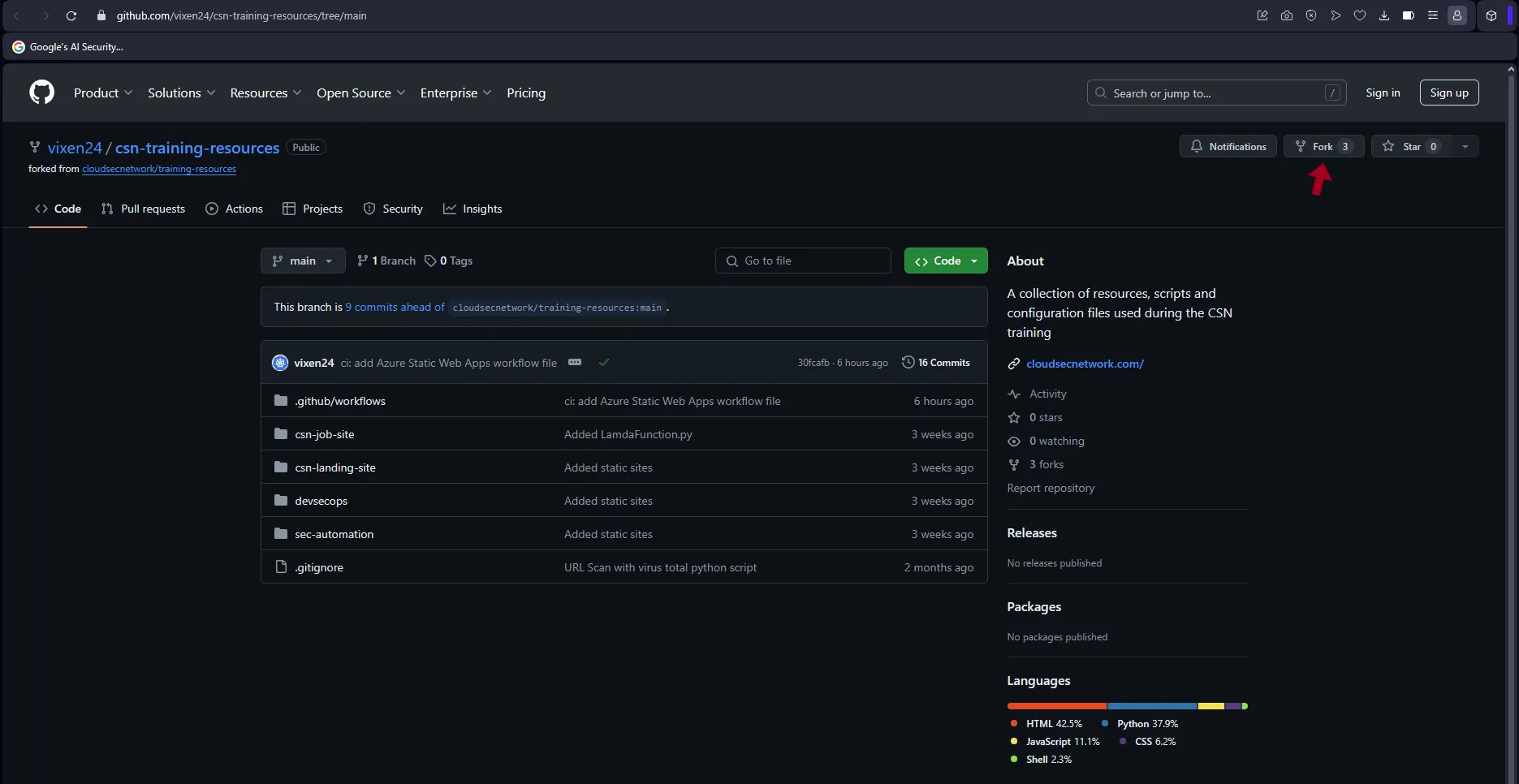
GitHub Repo showing fork button - Click on the
- Confirm your azure account is up and running, go to portal.azure.com.
- From the global search bar at the top, type Static Web Apps and select
Static Web Appsfrom the dropdown menu. - Click
Create static web app, located at the center of the webpage. - Create the Static Web App using the following parameters (See image below)
- Subscription: leave the default Azure subscription on your account
- Resource Group: click
Create newand enter, web-app-rg. Then, clickOk - Name: static-web-app
- Plan type: Free: For hobby or personal projects
- Source: GitHub
- GitHub account: If your GitHub account is already linked to Azure App Service, your GitHub account name will be displayed. However, if it is not linked, click and follow the prompt to login.
- Organization: click the dropdown and select your GitHub account name
- Repository: csn-training-resources
- Branch: main
- Build Presets: HTML
- App location: csn-landing-site
- Api location: leave blank
- Output location: csn-landing-site
-
Click
Review + create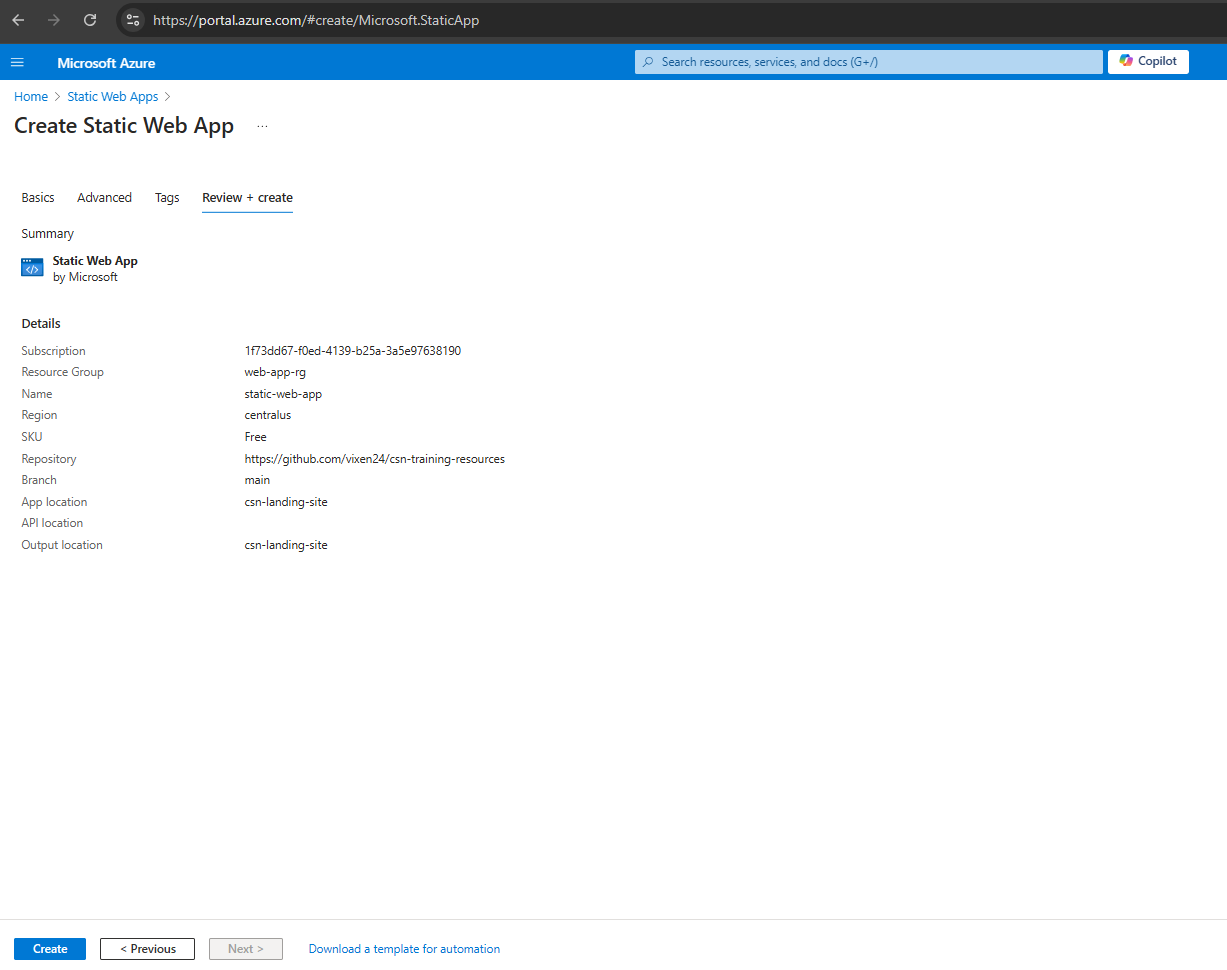
Static Web App summary - Click
Create - Wait a few minutes until the Notification shows, Deployment succeeded
- Click
Go to Resource, to open the static-web-app overview -
Click
URL, to open the static web app in a new tab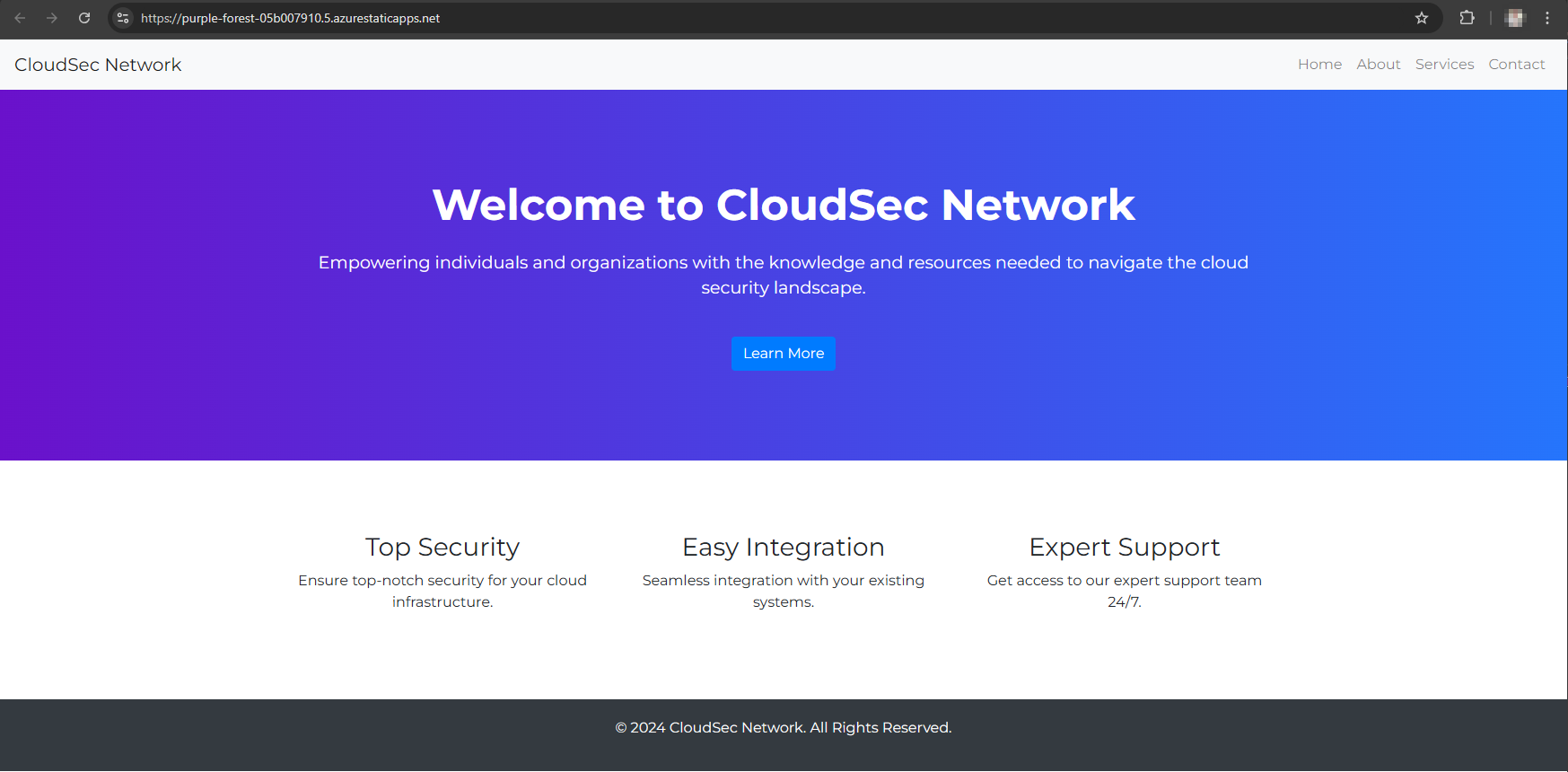
Deployed successfully
Lastly, deprovision resources you created to prevent unexpected billing at the end of the month.
From step 11, clickdelete button, located at the top bar. ClickYes, to finally delete the static web app resource.
See Part II: Deploy NodeJS app from GitHub to Azure Web App using GitHub actions